Install GrocLi on iPhone / iPad
GrocLi works great as an app on your Home Screen. Just follow these 2 quick steps in Safari:
Step 1
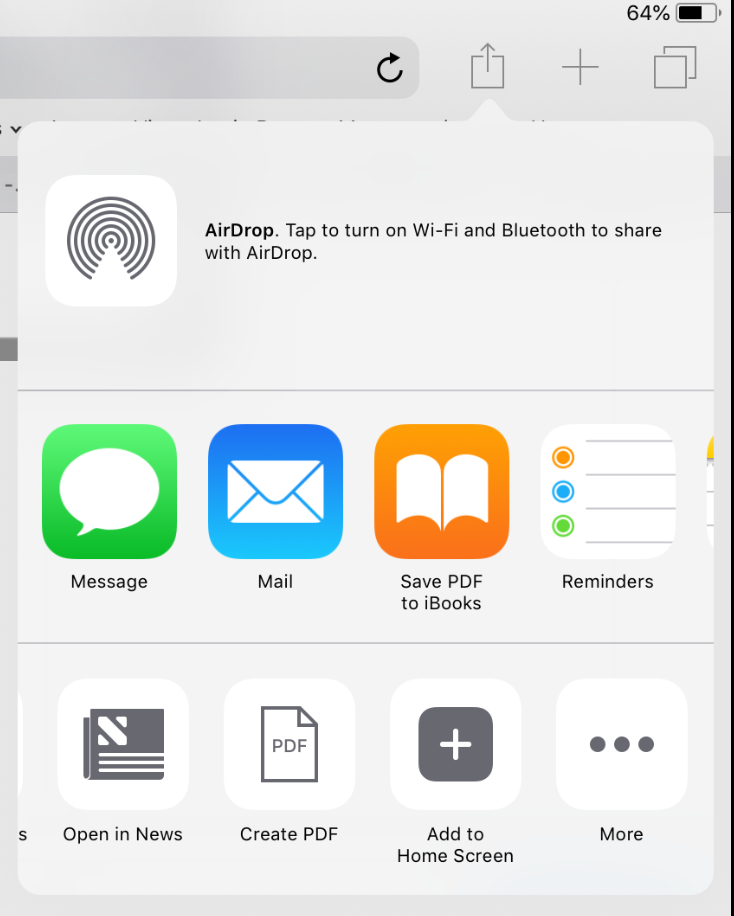
Tap the Share icon in Safari to open the sharing menu.
Step 2
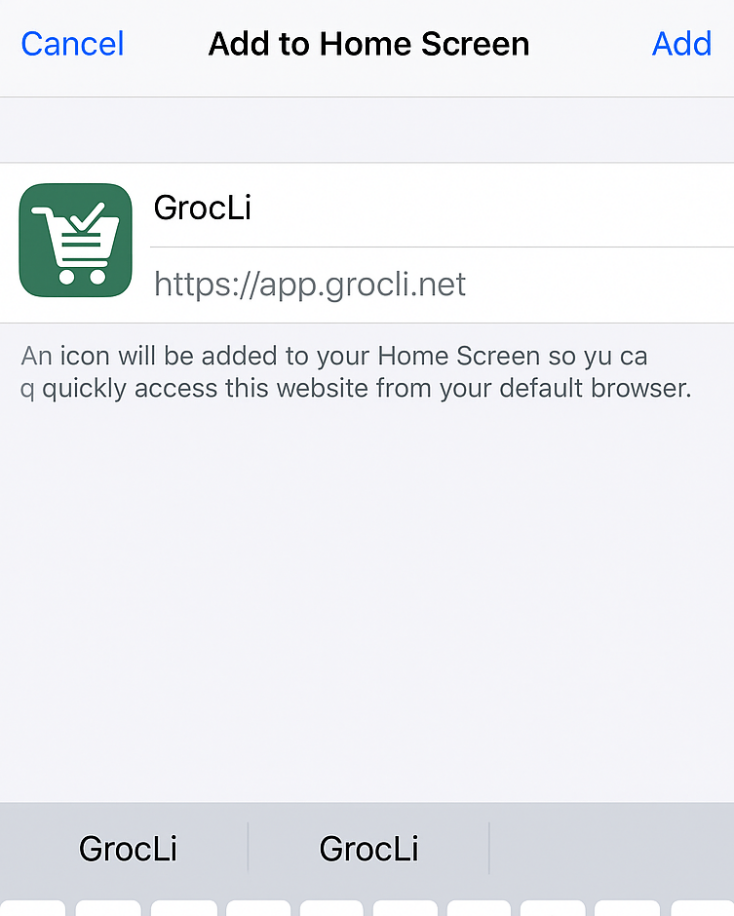
Select Add to Home Screen, then tap Add in the top right.